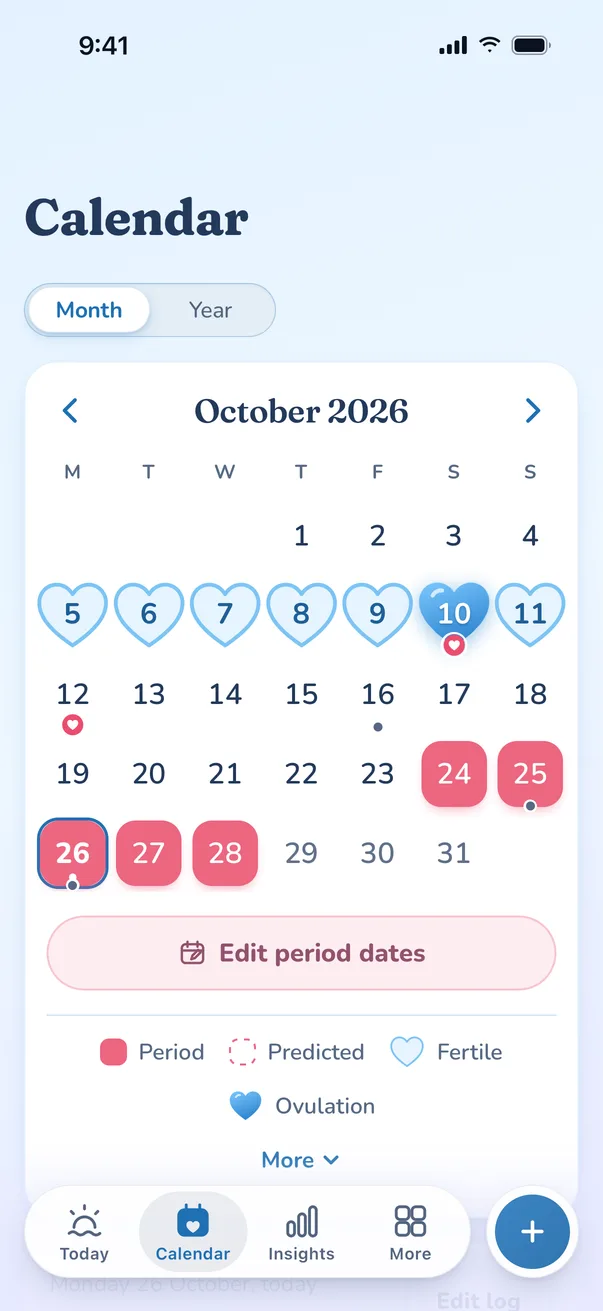
Splash vs Natural Cycles
Natural Cycles is a subscription app that is FDA-cleared as a method of birth control, using temperature data. Here is a side-by-side look at both, from each app’s own pages.
In short: Natural Cycles is a subscription app that is FDA-cleared as a method of birth control and uses temperature data. Splash is a free tracker and is not contraception. If you want an app as your contraception, choose Natural Cycles or another method; if you want free, private tracking, sharing and learning, Splash fits. Reviewed 28 October 2026.
Last reviewed against Natural Cycles’s own pages · 4 sources · what changed
If you want an app as your contraception, choose Natural Cycles (or another method), not Splash. Splash is for free, private tracking, sharing and learning.
- Splash
- Free, with no paid tier
- Natural Cycles
- Paid subscription (monthly or annual; price varies by region)
Choose Splash if
- You want a free tracker, not contraception
- You want partner sharing and a doctor report
- You would rather not pay a subscription or make an account
Choose Natural Cycles if
- You want an app-based method of birth control
- You want temperature from a wearable (Oura, Apple Watch, NC° Band) used in your predictions
- You want a regulated medical device
Try it beside Natural Cycles. Splash opens in your browser with no sign-up, and you can import your history and keep both while you decide.
Get Splash, freeSide by side
| Feature | Splash | Natural Cycles |
|---|---|---|
| PriceSource [1] | Free | Subscription |
| Wearable temperature inputSource [4] | Yes (Apple Watch via Apple Health; apps like Samsung Health, Fitbit and Oura via Health Connect) | Yes (Oura, Apple Watch, NC° Band) |
| Perimenopause modeSource [4] | Free | Yes (subscription) |
| Account neededNot verified for NC | No | – |
| Partner sharingNot verified for NC | Free, E2E-encrypted | – |
| Report for your doctorNot verified for NC | Free; print, PDF or an expiring encrypted link | – |
Where Natural Cycles is stronger
- It is an FDA-cleared contraceptive (De Novo, August 2018). Splash is not, and should never be used to avoid pregnancy.[2]
- It can use temperature from wearables, including its own NC° Band.[4]
- Its contraceptive effectiveness was reviewed by the FDA (typical-use failure rate 6.5%, perfect use 1.8%, per the FDA announcement).[2]
Questions people ask about Splash and Natural Cycles
Is Splash a free version of Natural Cycles?
No. Splash is not contraception and not a medical device. If you are avoiding pregnancy, use a method that is. Natural Cycles is a regulated contraceptive that uses a daily temperature; Splash is a free tracker that shows estimates as ranges.
Can I use Splash alongside Natural Cycles?
Yes. Some people use one app for contraception and another for symptoms, sharing or notes. Follow Natural Cycles’ own instructions for contraception, and treat Splash’s ovulation estimates as information about your cycle, not as a way to avoid pregnancy.
Can I import my Natural Cycles data into Splash?
Yes, in many cases. Ask Natural Cycles for a copy of your data, which they email as a zip of spreadsheets, then choose it in Splash. If the file does not read, use the spreadsheet option or email us. The file is read on your phone and not uploaded.
What changed at the last review
- : No competitor facts changed. Subscription price is not shown because only third-party aggregator figures exist; Natural Cycles’ own pages show it by region.
Sources
- Natural Cycles help: How does the subscription work? accessed 2026-10-26
- FDA: FDA allows marketing of first direct-to-consumer app for contraceptive use (Aug 2018) accessed 2026-10-26
- FDA De Novo decision summary DEN170052 (Natural Cycles) accessed 2026-10-26
- FemTech Insider: Natural Cycles launches perimenopause mode and NC° Band (Oct 2025) accessed 2026-10-26
Splash facts come from the app itself: local-first storage, optional AES-GCM-256 end-to-end encrypted sync, and imports from Flo, Clue, Apple Health and drip exports.
More comparisons
Try Splash alongside what you use now
Free, no account. Import your history and keep both until you decide.